


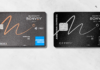

Last Fall, American Express released an innovative new prepaid reloadable product called Bluebird (see “Bluebird takes flight and changes the game“).  While Bluebird was loaded with features, it wasn’t the features that made it innovative.  It was the lack of fees.  Bluebird can be used as a quasi-checking account, an ATM card, a credit card, and a peer to peer payment system — for free*.  Green Dot, NetSpend, and many other companies have long offered similar capabilities, but with many fees.  All charged per transaction and/or per month fees.

* In order to get free ATM access, you do need to use MoneyPass ATMs and you supposedly need to setup direct deposit as well (although I haven’t found that to be necessary in practice.  See “Bluebird: Are direct deposits necessary for free ATM use?“).

Bluebird was especially exciting to those interested in earning points & miles.  It was (and still is) possible to buy Vanilla Reload cards to earn credit card rewards, then load the money to Bluebird, then use Bluebird to pay bills (including credit card bills).  This continues to be one of the best perpetual point machines around.

Recently, a great new Bluebird option opened up.  Visa and MasterCard gift cards can now be setup with PINs (see “Gift card PINs“).  If you can’t find Vanilla Reload cards, then you can buy Visa gift cards instead (they seem to work better than MasterCards).  Take the cards to Walmart and use the PINs to do “swipe reloads” to move the money to Bluebird. 

image

Enter GoBank

Green Dot Bank wasn’t willing to sit on the sidelines and watch American Express take all of its business.  So, they developed a worthy competitor: GoBank.  Like Bluebird, GoBank has no fees for most uses (except foreign transaction fees, out of network ATM fees, and customized card or replacement fees).

Currently, GoBank is rolling out its service to new members slowly.  The best option if you want a card is to sign up at GoBank.com and wait for an invitation.

image

You can also try contacting GoBank via Twitter or Facebook to see if they can accelerate your membership.

In mid-April, The Free-quent Flyer wrote up GoBank in his post “Gobank’s Launch Challenges Bluebird.“  At that time, I signed up for GoBank’s waiting list and even Tweeted them, but I never received an invitation.  A few weeks ago, at Free-quent Flyer’s suggestion, I simply entered my email address again and was immediately led to a series of signup pages.  I received my card about a week ago.

GoBank vs. Bluebird head to head

Both GoBank and Bluebird are designed to be alternatives to traditional checking accounts.  Both allow direct deposit, check capture, peer to peer payments, bill pay, and free in-network ATM use.  Let’s see how they compare head to head…

Loading Money

Both services are happy to accept direct deposits, ACH transfers (in, but not out), check deposits (snap picture with your phone), and cash or debit reloads at Walmart.  Here is where they differ:

  • Walmart reloads: Both cards allow fee-free debit reloads at Walmart. Unlike Bluebird, GoBank currently has a quirk where some swipe reloads do not show up immediately in your balance, but they do show up after 10 or 15 minutes. Bluebird is limited to $1000 per day.  GoBank is limited to $2500 per day.  Advantage GoBank.
  • Online debit loads: GoBank initially offered free online debit loads (up to $200 per day) but they are in the process of phasing out that option.  Bluebird allows debit reloads online, but they limit you to $100 per day and $1000 per month with a $2 fee per transaction.  Neither card has a good option here.
  • Reload cards: Bluebird can be loaded with Vanilla Reload cards.  GoBank can be loaded with GreenDot MoneyPaks.  MoneyPaks cost more ($4.95 vs. $3.95) and are less often available to be purchased with a credit card.  Advantage Bluebird.

Bill Pay / Check Writing

Both services offer free bill pay services.  Whenever possible, payments will be sent electronically.  If the recipient isn’t setup for electronic bill payments, then payments will be sent by paper check.  Here is where the services differ:

  • Write your own checks: Bluebird offers optional paper checks that you can write out yourself.  This is useful for in-person transactions where credit and debit cards are not accepted.  And, until mid August, Bluebird is offering your first book of checks for free.  GoBank has no equivalent option.  Advantage Bluebird.
  • Recurring payments: GoBank allows you to setup recurring payments.  Bluebird does not.  Advantage GoBank.

Sending Money

Both services allow you to send money to friends over email.  With Bluebird, the recipient needs a Bluebird or Serve account to pickup the money.  With GoBank, the recipient can use a GoBank account or a PayPal account to pickup the money.  This is a nice option since PayPal is so widely used.  Advantage: GoBank.

ATM Use

Both services allow free ATM use at in-network ATMs.  Here is where they differ:

  • GoBank’s network of free ATM’s is bigger (over 40,000 vs. over 22,000) so it is easier to find a fee free GoBank ATM.
  • GoBank charges $2.50 for out of network ATMs.  Bluebird charges $2.  In both cases you will likely incur an additional fee from the ATM operator.
  • Bluebird has no foreign transaction fees on ATM withdrawals.  GoBank charges a 3% foreign transaction fee.

Advantage: GoBank within the US, Bluebird outside of the US.

Spending Options

Both cards can be used as credit cards.  Here is where they differ:

  • GoBank is a Visa card.  Bluebird is an American Express card.  Visa is accepted in far more places than American Express.
  • Bluebird has no foreign transaction fees (but American Express cards are not widely accepted outside of the US).  GoBank charges 3%
  • GoBank is a debit card and can be used anyplace that accepts debit cards.  Bluebird is not a debit card.
  • Bluebird’s purchase protection covers losses if your eligible purchase is accidentally damaged or stolen within 90 days of purchase.

Advantage: GoBank

Fund Transfers

Bluebird has the option to transfer funds directly from your Bluebird account to a bank account.  As far as I can tell, GoBank has no similar option.  Advantage: Bluebird.

Account Closures

I’ve never heard a credible report of anyone having their Bluebird account forcibly shut down, but Green Dot seems to shut people down regularly.  Million Mile Secrets provides the following important cautions:

Warning: You should NOT experiment with the Go Bank debit card and reload card if you can’t afford to be without the money loaded in your Go Bank account.  Many people complain that Green Dot (which owns Go Bank) arbitrarily closes accounts and that it takes months to get your money back.

- Do NOT fund Go Bank and then immediately withdraw money from an ATM or transfer money to your checking account.  That is very easy to detect.  Withdraw only as much money as an average person would – that is in the hundreds of dollars and NOT thousands of dollars per week.

- Use Go Bank for lots of routine transactions as well.  If all you do with Go Bank is withdraw money from the ATM or to your bank account, you are likely to be shut down because you are unprofitable for GreenDot.

- You WILL get shut down if you try to spend tens of thousands of dollars per month at any store with any one card.

- I can’t give you an exact amount  and you’ve got to decide for yourself what is a reasonable limit.

- Alternate with other credit cards so that you’re not buying too many gift cards with just one credit card.

Miscellaneous Other

  • GoBank, in my opinion, has a better user interface on both their web site and their mobile application.  I especially love how their mobile app lets you search for ATMs and (optionally) check your balance without logging in.
  • Some people have reported that GoBank has better customer service than Bluebird.

Summarized Card Features

Feature

Bluebird

GoBank

Advantage goes to…

Load via debit card at Walmart
(Swipe Reload / Rapid Reload)
Up to $1K per day. Up to $5K per month. No fee. Up to $2500 per day. Up to $50K balance. No fee.

GoBank

Load via reload card Vanilla Reload. $3.95 Fee to buy card. Green Dot MoneyPak. $4.95 fee to buy card.

Bluebird

Write your own checks Yes No Bluebird
Free bill pay Yes Yes Tie
Recurring payments No Yes GoBank
Transfer funds to bank account Yes No Bluebird
ATM Network >22,000 >40,000 GoBank
ATM out of network fees $2 + ATM charge $2.50 + ATM charge Bluebird
Credit card use American Express Visa GoBank
Foreign transaction fee None 3% Bluebird
Purchase protection Yes, 90 days No Bluebird
User Interface Good Very good GoBank
Receive money Recipient must have Bluebird or Serve account Recipient must have GoBank or PayPal account GoBank (since PayPal is more prevalent)
Customer Support Many complaints So far, so good GoBank
Known to shut down accounts No Yes Bluebird


My Thoughts

GoBank looks like a worthy competitor to Bluebird.  On several measures, it appears to be better than Bluebird.  It’s great to see competition in this no-fee bank-alternative space and I’m happy to get a chance to try out GoBank to see how well it works in practice!


Follow me on Twitter / Like me on Facebook / Find me on Google+


If you are new to collecting miles, click here for the free newsletter
If you are new to Frequent Miler, start here


Posted by FrequentMiler | 45 Comments

Exactly two weeks ago, I declared “5X everywhere dies again.”  There had been a secret application link for the Citi ThankYou Preferred card that offered 5 points per dollar at drugstores, grocery stores, and gas stations for 12 months, but the application link had died.

Fortunately, the Miles Professor has found a great alternative.  At a Citibank branch, she found an offer for a Citi ThankYou card with the following benefits (quoted from her post):

  • 15,000 bonus ThankYou points after you spend $1,000 in your first 3 months
  • 5 ThankYou points for every $1 spent at drug­stores, super­markets and gas sta­tions for 12 months
  • The card has no annual fee. Ever.

It looks like this card is functionally equivalent to the ThankYou Preferred card, but has dropped the “Preferred” from its name.  So, if you have a Citibank branch nearby it may be worth a visit!

For more details, checkout the Miles Professor’s post: Citi ThankYou Card Offer for 5x At Drugstores Still Alive! (Bank Branch Strikes Again).

And, for more details about Citi’s ThankYou points and how to make the most of them, please see these Frequent Miler posts:


Follow me on Twitter / Like me on Facebook / Find me on Google+


If you are new to collecting miles, click here for the free newsletter
If you are new to Frequent Miler, start here


Posted by FrequentMiler | 20 Comments

Background: Million Mile Madness was the mad quest to earn a million points in one month. Throughout March, I did everything I could to earn as many points as possible while keeping within my ethical boundaries. During the month, I tracked all of the points that I expected, and I declared victory when the expected total topped one million.

It wasn’t easy to earn a million points in one month.  I started the month with a burst out of the gate by signing up for 11 credit cards in one day.  I was approved for 10 of the cards and I earned 516,000 points from sign-up bonuses (you can read the details here: Million Mile Madness: The big churn story).  Then, the hard work began.  With 484,000 points still to earn, I had to find a way to average approximately 24,000 points every weekday for the rest of the month.  My approach for acquiring most of those points and miles was to buy and sell: Earn as many points as possible while buying items and resell those items for as little loss as possible.

Preparations

In the months leading up to my Million Mile Madness challenge, I tested many different scenarios for earning points through purchases.  I looked for opportunities to get points for buying gift cards and for using the gift cards.  That’s known as a double dip.  I also looked for (and found) a few instances where one could get points for buying a gift card, then get more points for using that gift card to buy a different gift card, and then finally get even more points when using the latter gift card to buy merchandise.  These were triple dip opportunities.  Each of these opportunities made use of shopping portals and, often, credit card category bonuses to increase points earned.  For details about some of the tests I ran, please see “Million Mile Madness: Preparing to buy & sell.”

Watching for deals

The site SlickDeals was my best friend that month.  For each of the merchants where I knew I could earn lots of points, I setup email alerts within SlickDeals.  I wanted to be alerted to hot deals as they appeared.  This proved to be a huge help, especially for deals from Staples and OfficeMax.

Buying like mad

Whenever a great deal would pop up, I quickly did some research to see if I could resell the item easily.  My first stop was always to Amazon.com to see if Amazon would let me list the item as new and use their Fulfillment by Amazon service for the resale.  I would also check to see the price I would likely be able to sell the item for and I would get an estimate of Amazon seller fees (see “Tips for selling on Amazon“).  If, after the research, I still thought the deal was good, I would then initiate a double or triple dip purchase.  For example, when I found great deals at Staples, I clicked through from TopCashBack (5.5% cash back at the time) and paid with my Chase Ink Plus card (which offers 5 points per dollar at Office Supply stores).  For an OfficeMax deal, I clicked through the Ultimate Rewards Mall to OfficeMax (the mall offered 5 points per dollar at the time) and paid with my American Express business card with OPEN Savings which offers 10% cash back for OfficeMax.com purchases over $250.  I bought many thousands of dollars worth of merchandise with methods like these.

Selling

When packages arrived at my house, I opened them to inspect the contents, then I logged onto my Amazon Seller account to print out packing slips and mailing labels.  I repacked everything and set it all out by the front door for UPS to pick up.  When just a few boxes were involved, this was easy.  When many boxes showed up at once, it was a huge pain in the you know what.

Waiting

Once items were sent to Amazon, I simply waited for them to sell.  Occasionally I had to adjust my prices to make sure I had the lowest price.  Usually, the items sold out quickly as soon as they were fully checked-in (which could take up to a week).  In one case, I had to edit the listing details to get the product to show up in searches on Amazon.com (and once I did that, the product sold quickly).  In another case, Amazon decided to fight me in a price war.  Every time I lowered my price, Amazon undercut me further.  That was the only item in which I had expected to earn a profit, but I ended up taking a loss instead.

Kohl’s

By far, the most buying and selling I did was with items from Kohl’s.  Through a double-dip I was able to earn 20 points per dollar.  And, thanks to my wife having a Kohl’s charge card, I qualified for 30% off coupon codes that they offered twice during the month.  I bought small kitchen appliances, Disney headphones, toddler iPad cases, Bluetooth speakers, watches, and even a few robot vacuums.  The worst loss I took was 21% (due to the price war I mentioned above), but most items earned a profit.  Profits went as high as 50%, but most profits were in the 1.5% to 13% range.

Staples

At Staples I bought tablet computers, SSD drives, and portable external drives during fantastic sales.  Profits ranged from 5% to 22% for these items.

Lowes

At Lowes I executed a triple dip to get 15 points per dollar, plus I used a 10% off coupon to save money.  I bought a few thousand dollars worth of Nest Learning Thermostats.  Even though the thermostat was on sale and I used the 10% off coupon, I still lost approximately 9.5% on this deal (for details see “Million Mile Headaches: Lowes, Round 2“).

Drugstore.com

When Drugstore.com offered 20% off any health & beauty items, I found (thanks to SlickDeals!) that I could buy Fitbits for 20% off.  When clicking through from a portal, the coupon didn’t apply, so I gave up on shopping portals for this deal.  Instead, I used the 20% off coupon and paid with a credit card that earns 5X at drugstores (my Citi ThankYou Preferred card, for 12 months).  The Fitbits sold immediately and I earned a profit of about 10% on this deal.

OfficeMax

I only took advantage of one OfficeMax deal in March.  A device called Ooma Telo was on sale at OfficeMax for a great price.  I earned 5 points per dollar by going through the Ultimate Rewards Mall and I got 10% cash back by paying with an American Express business card with OPEN Savings.  I only bought 4 of these, but I earned approximately a 14% profit.

Final tally… soon, very soon

Yes, I succeeded in earning a million points in one month, but there was another aspect to the challenge: my goal was to keep my net costs below $1000.  That meant that when buying and selling items, there was very little room for error.  At this point, I still have just a few items that remain unsold, so I can’t yet give a final tally, but I expect to do so very soon.

Learn about Million Mile Madness:


Follow me on Twitter / Like me on Facebook / Find me on Google+


If you are new to collecting miles, click here for the free newsletter
If you are new to Frequent Miler, start here


Posted by FrequentMiler | 31 Comments

Google is in the process of rolling out new features to Google Wallet that will bring them in direct competition with PayPal, Amazon Payments and others.  With the new version of Google Wallet, you can pay friends and relatives electronically, and you can even initiate payments directly from within Gmail.

image

Payments sent from a linked bank account or from your Google Wallet balance are free.  And, for a yet to be defined “promotional period” credit and debit card payments are also free.  Eventually Google Wallet will charge a 2.9% service fee for those transactions (with a minimum fee of 30 cents).

Getting the new Google Wallet

Its free to sign up for Google Wallet, so you might as well do so if you haven’t already.  At this point, though, the ability to send money to friends is being rolled out slowly.  Your choices are to wait for Google to roll it out to you or ask a friend (who already has the new features) to send you a penny.  Anyone who receives money from Google Wallet automatically gets the new features.

Write “pick me!” in the comments of this post and I might send a penny to you to get you started.  I say “might” because I’m not sure how many I’ll get away with before I trigger some kind of fraud alert.  I’ll do just a few at a time for a while.  Sorry, but I already have more requests than I’m likely to ever get to!  I’ve deleted all of the “pick me” comments so that we can keep the comments section for discussion.

Fees

Here are the details from the Google Wallet Help pages:

image

As you can see, Google describes a 2.9% fee for sending money using a credit or debit card.  In practice, though, Google is not currently charging fees:

image

Notice above how the fee is crossed out?  And, if you press the little question mark button, you get the following:

image

So, for some undisclosed amount of time, Google Wallet is entirely fee free.

Limits & thresholds

The best alternative service for sending money to friends via credit cards for free is Amazon Payments.  Amazon Payments has a limit of $1000 per calendar month.  So, what about Google Wallet?  Their stated limits are extremely high:

image

As you can see above, their Help pages say that they allow up to $10K per transaction and up to $50K per 5 day period.  In practice, though, there seems to be more going on.  When I tested sending $75 to a friend, the money went through in minutes.  I then tried sending $1700.  Two days later, the transaction is still pending.  Similarly, a friend I know sent $1000 and that transaction has been pending for about a day.

My guess is that there are transaction thresholds.  Any transactions above a certain dollar amount gets flagged for review.  Unfortunately, I don’t know if that theory is true, nor do I know what the threshold is (if the theory is true).

There is also a chance that Google is actively watching out for people who are using Google Wallet just to earn points & miles.  Within this Flyertalk thread, a contributor claimed to have received the following email from Google:

Hello,

We recently noticed that you’re adding then withdrawing lots of funds from your Google Wallet Balance or sending/receiving money in a way that may violate our Terms of Service.

We wanted to offer a friendly reminder that the peer to peer service is intended for Google Wallet customers to send money to other persons, and not to rack up airline miles/rewards points or get cash advances. We view such transactions as misconduct under section 7 of the Google Wallet Terms of Services, and may decline to process such transactions or close your account if we identify in the future that you are using your account for these purposes.

I don’t know whether the email was real, or if this person was simply trying to scare people away, but either way it is a good reminder to go slow.  Here is the relevant part of section 7 of the Google Wallet Terms of Service:

7. Limitations on Use of Services

Notwithstanding any limitations described elsewhere in this Agreement, we may establish general practices and limits concerning use of the Services, including without limitation individual or aggregate transaction limits on the dollar amount or number of transactions during any specified time period(s). We reserve the right to change, suspend or discontinue any aspect of the Services at any time, including hours of operation or availability of the Services or any Service feature, without notice and without liability. We also reserve the right to impose limits on certain Service features or restrict access to some or all of the Services without notice and without liability. We may decline to process any transaction without prior notice to you.

GPC may delay, hold, cancel or reverse processing of any transaction if:

(a) a Sender makes a claim to GPC for a refund or other reversal, or

(b) GPC, in its sole discretion, believes that the transaction is invalid, suspicious, involves misconduct or fraud, or otherwise violates Applicable Law, this Agreement, or any applicable GPC or Google policies.

Questions and Answers

In this section I’ll try to anticipate readers’ questions, and I’ll answer them as well as I can.  I’ll update this section as we learn more.

Q: Why should I care about Google Wallet?

A: While it is pretty cool that Google Wallet lets you send money directly from Gmail, it is also potentially a great way to manufacture credit card spend.  It could be used, for example, to help meet minimum spend requirements on a new credit card.

Q: Will I earn points/rewards on my credit card when I use it to make payments?

A: Yes.  Here is what Google has to say about that:

You should continue to earn rewards points for purchases through your card issuer’s credit or debit card rewards program (such as gas, grocery, and restaurants purchases, and overall spending), if applicable. Certain benefits and rewards may not be applied when using Google Wallet, such as merchant specific rewards (e.g. double points at a specific merchant with a specific card). Applicability of rewards and other benefits (such as purchase protection or insurance) will be decided by your card issuers and not Google Wallet.

Q: Do credit card companies treat these payments as cash advances?

A: No, these payments are treated as a regular purchases. 

Q: Do any cards offer bonus points for this category of spend?

A: Probably not, but there is a chance that the American Express Business Gold Rewards card may give 2 points per dollar.  From my American Express account, the Google Wallet payment shows up as “GOOGLE WALLET A” in the category “BUSINESS SERVICES – INTERNET SERVICES.”  There is a slight chance that this will qualify as an advertising expense for double points.  Hopefully we’ll learn the answer to that question soon.

Q: How much is safe to send?  And, how often?

A: We simply don’t know the answer to that yet.  Until we learn more, I’d recommend doing no more than $500 per month.

Q: Can I send money to my spouse or friend and have him/her send money back to me?

A: Technically you could do that, but I think that would be very likely to trigger a fraud alert.  It would be wiser to go in one direction and have your spouse or friend send the money back to you through a different mechanism.

Q: Can I use Amex, Visa, or MasterCard gift cards to send money?

A: I haven’t tried that yet, but it should work.  Make sure to register the gift card with your name and home address before attempting to use it to send money.

Q: How do I take out money that has been sent to me?

A: You need to link (and verify) a bank account.  Then, you can withdraw money to your bank account at any time.

Q: Can I send money using Google Play gift cards?

A: No.

Q: Can I send money with Amazon Payments using Amazon gift cards?

A: No.

Q: A while ago you wrote that Google Wallet was coming out with a physical credit/debit card.  When will we see that?

A: I wrote about the physical Google Wallet card in the post “Google Wallet takes physical form. Are more points in our future?“  Unfortunately, Google recently dropped their plans for this physical card.  You can read the details here: Ahead of I/O, Google Wallet Drops Plans to Introduce a Physical Card.


Hat Tip to reader Eric N for letting me know about the new features in Google Wallet!


Follow me on Twitter / Like me on Facebook / Find me on Google+


If you are new to collecting miles, click here for the free newsletter
If you are new to Frequent Miler, start here


Posted by FrequentMiler | 89 Comments

A couple of days ago, GiftCardMall suddenly disappeared from cash back portals.  I had listed GiftCardMall as one of the best ways to buy $500 Visa cards in the post “Best options for buying $500 Visa gift cards,” but they pulled out of their affiliate channels the same day I posted.  Luckily, they’re back!

FatWallet:

1% cash back, but terms exclude Visa gift cards:

image

image

TopCashBack:

2% cash back for regular gift cards. 1% cash back for Visa gift cards:

image

Sign Up Links

You can find links to sign up for the above cash back portals and others on my “Sign-Up Links” page (which can also be found under the Resources menu of any page on the Frequent Miler site).


Follow me on Twitter / Like me on Facebook / Find me on Google+


If you are new to collecting miles, click here for the free newsletter
If you are new to Frequent Miler, start here


Posted by FrequentMiler | 20 Comments

UPDATE: Code BLOSSOM15 is no longer working.  Kohl’s charge card holders can still get 30% off with code SAVE30, but it is no longer possible to get 40.5% off in total.

Until May 22, Kohl’s has two stackable coupons that total to 40.5% off everything (except gift cards) at Kohl’s.  There is both a 30% off coupon (SAVE30) and a 15% off coupon (BLOSSOM15).  The trick is that you do need to have a Kohl’s charge card to qualify for the 30% off coupon.  When you apply both coupons, you’ll get a combined discount of 40.5% off.  The great thing is that this discount is applied to sales & clearance prices as well!  If you spend more than $75 (after discounts), you’ll also qualify for free shipping.

image

The picture above shows an example of stacking both coupons with a product that is on sale.  The purchase comes with free shipping because the total order (before taxes) is greater than $75.  This is just and example and is not meant to be a recommendation to buy the product shown. 

Kohl’s Cash

In addition to this 40.5% discount, you will qualify for $10 of Kohl’s cash for every $50 spent (after discounts, but before shipping and sales tax).  That sounds like an additional 20% rebate if you buy in multiples of $50, but its not really.  When you pay with Kohl’s cash, the portion of your order paid that way does not qualify for discounts and does not count towards totals needed for free shipping.  Regardless, Kohl’s Cash can be used to buy stuff, so it’s a nice extra perk!  Plus, Kohl’s Cash is deducted before sales tax is calculated, so you do get a small discount by not having to pay tax on that portion of your purchase.

Shopping Portals

When shopping online, it’s always a good idea to start with a portal that offers points or cash back for your purchases.  I’ve always had great luck with Chase’s Ultimate Rewards Mall, and they offer an amazing 10 points per dollar for Kohl’s purchases!  In my experience, the points are earned regardless of what coupons have been applied.

Gift Cards

You can save even more (or earn more points) by buying Kohl’s gift cards before making your purchases.  If you want to get the gift cards quickly, the simplest approach is to go to a store where your credit card earns bonus points and buy Kohl’s gift cards there.  One great example is to use a Chase Ink card at an office supply store to get 5 points per dollar.  Another similar option is to double dip at Staples.com.  Start at a cash back portal such as uPromise and click through to Staples.com.  Buy Kohl’s e-gift cards and pay with a Chase Ink card (5X).  The e-gift cards should arrive overnight or early the next day.  Note that Kohl’s only allows up to 4 gift cards to be used per order.  Finally, if you’d rather save money than earn points, consider gift card resellers.  Search GiftCardGranny.com for deals on Kohl’s gift cards.  If you’re in a hurry, opt for electronic gift cards rather than paper ones.

Happy shopping!

Thanks goes to this SlickDeals thread for finding this deal!


Follow me on Twitter / Like me on Facebook / Find me on Google+


If you are new to collecting miles, click here for the free newsletter
If you are new to Frequent Miler, start here


Posted by FrequentMiler | 35 Comments

Club Carlson recently announced their new summer promotion: stay two nights and get 10,000 bonus points.  There’s no doubt that this is a nice bonus if you plan to stay two nights anyway.  The question I have is whether this promo is good enough to go out of one’s way for.  Is it worth booking a weekend stay just for the points?

TWO NIGHTS 10,000 POINTS

Stay two or more consecutive nights anytime between May 13 and July 21, 2013 at any of our more than 1,000 participating Carlson Rezidor hotels worldwide to earn 10,000 bonus Points for each eligible stay.

Details about Club Carlson’s new promotion can be found here.  Make sure to register, just in case!  You can also read Mommy Points’ view of the promotion here; Points, Miles & Martinis’ view here; and Lucky’s view here.

In 2011 and 2012, Club Carlson ran promotions in which it was possible to earn up to 50,000 points for a one night stay.  There was no doubt then that it was worth booking a cheap stay just for the points.  This promotion, though offers only 1/5 the points and requires a two night stay instead of one.  So, this promotion requires deeper analysis…

Near Optimal Earnings

In the post “Earn 70 points per dollar at Club Carlson hotels” I showed how it is possible to stack multiple Club Carlson points earning options onto a single stay.  Almost all of the possibilities are unlocked simply by getting a Club Carlson Premier Rewards Signature card (or its twin Business card).  With either card, you’ll earn 10 points per dollar at Club Carlson properties when you pay with the Club Carlson credit card, and you’ll earn bonus points as a Gold elite member (which is an automatic perk of the credit card).  You could do slightly better with top level Concierge status, but for most people that is out of reach since it requires 75 nights or 30 stays to achieve.

Another way to boost earnings is to sign up for “Club Carlson for Business.”  If you are a business owner, you can get a business account and earn an additional 10 points per dollar for bookings made online.  You will also qualify for a 5% discount off their standard rates.

Here is a full run-down of points earned for a regular stay (without the summer promotion) if you have the Club Carlson credit card and a business account:

  • Base earnings for any stay: 20 points per dollar
  • Elite bonus (Gold members): 10 points per dollar
  • Credit card earnings: 10 points per dollar
  • Club Carlson for Business: 10 points per dollar
  • Online booking bonus: 2000 points

So, even without a promotion, it is possible to earn 50 points per dollar plus 2000 points per stay (not per night) for booking online.

10K Promotion: 110X

By stacking the points earned as shown above, with the summer 10K promotion, you can now earn up to 50 points per dollar plus 12,000 points per stay.

Ignoring taxes, with a $100 per night stay, you would spend $200 and earn 22,000 points.  In other words, you would earn 110 points per dollar!

How much are points worth?

A few months ago, I looked at Club Carlson hotel prices and redemption rates in a number of cities.  I found that, in my sample, the per point value of Club Carlson points ranged from .22 cents to .89 cents each.  The average point value came to .43 cents.  So, 110 points per dollar is like a 47% rebate.

The math gets better with the Club Carlson credit card which offers a free night with each reward stay of 2 nights or more.  In other words, if you stay two nights on points, you only need to pay for one night!  For details, see “Club Carlson rocks our world… Again.”  So, by focusing on two-night stays, your points can be worth twice as much!  The value of points then (based on my sample) goes up as high as .44 to 1.78 cents per point with an average value of .86 cents each. 

If you value Club Carlson points at .86 cents each, then 110 points per dollar is like a 94.6% rebate!  Clearly, if you’re planning to travel anyway and if a Club Carlson hotel is a viable option, then you will do very well with this promotion.

Taxes vs. Cash Back

It’s hard to estimate how much you’ll pay in taxes since that varies from State to State and from city to city.  Credit card points will be earned for the full cost of your stay, but other point multiples shown above will be based on the stay cost before taxes.

It’s worth noting that there are a number of cash back portals that include Club Carlson properties such as Radisson, Park Plaza, and Country Inn & Suites.  For example, TopCashBack currently offers 9% cash back for those hotels.  If you start your booking from a cash back portal and click through to one of those Club Carlson web sites, you will still be eligible for all point earnings and online booking bonuses.  For a list of cash back portals to consider, please see my Sign-Up Links page.

Overall, rather than trying to estimate the effect of taxes and cash back portals, for the sake of this analysis let’s assume that they cancel each other out.  In other words, I’ll calculate the value of mattress runs without factoring in taxes or cash back.

Mattress Runs

The point of pure mattress runs is to book a hotel stay just to earn points or elite status.  In this case, we’re just talking about point earnings.  If you really don’t value the stay at all and just want to get points, then the goal should be to get points at a cost lower than their redemption value and lower than they could be bought elsewhere.

Club Carlson outright sells points to consumers for just .7 cents per point.  So, even if you value points higher than that, it wouldn’t make sense to do a mattress run if you end up paying .7 cents or more for your points.

Personally, I wouldn’t consider a Club Carlson mattress run unless the full cost was less than .4 cents per point.  The idea, after all, is to get a bargain.  However, if you are working on building up your points for a specific high value redemption (Radisson Blue Paris, for example), you might be willing to set a higher bar.

Here then are the calculations for the cost per point for mattress runs for Club Carlson hotels at various price points with the 10K promotion included:

Hotel cost per night

Total cost

Points earned*

Cost per point

$50 $100 17,000 .59
$60 $120 18,000 .67
$70 $140 19,000 .74
$80 $160 20,000 .8
$90 $180 21,000 .86
$100 $200 22,000 .91

* Points earned: This column assumes that you achieve near optimal point earnings as described above (e.g. 50 points per dollar plus 2000 points per stay before including the 10K promotion).

As you can see in the table above, booking a $50 per night room just to get points would cost .59 cents per point.  This is better than buying points outright at .7 cents per point, but not by a wide margin.  And, it doesn’t come close to my “buy” target of .4 cents per point.

So, go ahead and book a two night stay if you value both the points and the stay, but don’t book it for the points alone.

Second night add-on

Suppose you have a planned one night stay at a Club Carlson property.  Is it worth adding a second night to qualify for the 10K promotion?  The second night would get you up to 50 points per dollar for the cost of the second night, and 10,000 bonus points thanks to the summer promotion.  Here are the calculations for the cost per point for adding a second night to your stay:

Hotel cost per night

Extra points earned*

Cost per point

$50 12,500 .4
$60 13,000 .46
$70 13,500 .52
$80 14,000 .57
$90 14,500 .62
$100 15,000 .67

* Extra points earned:  These are the points earned for the added-on second night.  This column assumes that you achieve near optimal point earnings as described above (e.g. 50 points per dollar before including the 10K promotion).

As you can see in the table above, tacking on a second night to a $50 per night stay would result in “buying” points at only .4 cents each.  As room prices go up, the cost to buy points this way increases as well.  So, if you are planning a one night stay in an extremely cheap Club Carlson hotel, it may be worth it to extend your stay to two nights depending on how highly you value Club Carlson points.


Follow me on Twitter / Like me on Facebook / Find me on Google+


If you are new to collecting miles, click here for the free newsletter
If you are new to Frequent Miler, start here


Posted by FrequentMiler | 24 Comments

Background: Million Mile Madness was the mad quest to earn a million points in one month. Throughout March, I did everything I could to earn as many points as possible while keeping within my ethical boundaries. During the month, I tracked all of the points that I expected, and I declared victory when the expected total topped one million.

Million Mile Headaches

Not everything went smoothly during my million mile quest.  Last week, for example, I wrote about problems I had with SunTrust (see “Million Mile Headaches: SunTrust“).  And, in March, I wrote about some issues I had with Sears (see “A setback from Sears“).  Also in March, I published “Bumps in the road” where I told the story of my botched attempt to get 15 points per dollar when buying items from Lowes.  This is a continuation of that story…

Recap of what went before

I started the month with a plan to earn 75,000 points from Lowes as follows: 1) Use credit cards that earn 5X at office supply stores to buy Home Improvement gift cards at Office Depot; 2) Go through an online portal that offers 5 points per dollar at Lowes and buy physical Lowes’ gift cards.  Pay with the Home Improvement gift cards; and 3) Go through the 5X portal again to buy $5,000 worth of merchandise and pay with Lowes’ gift cards.  If all had worked as planned, I would have earned 15 points per dollar and therefore 75,000 points from buying $5000 worth of merchandise (which I would then resell).

The first $3500 worth of gift card purchases seemed to go smoothly.  I bought out all of the Home Improvement cards available at my local Office Depot.  I registered each card and then went online through a portal to buy Lowes’ gift cards.  The gift cards arrived at my house and all portal points posted as expected.

So, with that success under my belt, I drove to a distant Office Depot to buy more Home Improvement cards and I used those cards to buy more Lowes’ gift cards.  To make a long story short, a computer glitch prevented the new orders from going through, and Lowes’ re-credited my Home Improvement gift cards which I had previously thrown away thinking that they had been used up.  I had to find the original purchase receipt from the Office Depot to get my money back.  And, in fact, I received a refund check from InComm (the company behind the Home Improvement cards) a few weeks later. 

You can read the full story here: Bumps in the road.

Preparing to buy

Once Lowes’ fixed their computer glitch, I was ready to try again.  I still needed $1500 more of Lowes’ gift cards.  This time, when ordering the gift cards, I paid $4.99 per card for overnight delivery.  It was March 26th, and time was running out for my challenge.  When the cards arrived the next day, I now had about $5000 worth of Lowes’ gift cards.  Or so, I thought…

My plan had been to buy $5000 worth of Nest Learning Thermostats 2nd Generation.  These were top sellers on Amazon.com so I knew they would sell quickly.  With my 10% off movers coupon, I still would lose money on the whole deal (due to sales taxes and seller fees), but I had calculated that the loss was worth it given all of the points earned.

One big (and one little) break

On March 27th, I found that someone had posted several Lowes’ 10% off coupons on SlickDeals.  This was great for me because I really was thinking of moving and would have liked to use my movers coupon for that move.  So, I was able to use the SlickDeals coupon and keep my own for later.  That was my little break for the day.

The bigger bonus came when I browsed to Lowes and discovered that the Nest Learning Thermostat 1st Generation was on sale!  The sale price was lower than Amazon’s usual price, and so I calculated that I would lose much less on this deal than I would have with the Nest II.

Uh oh

I clicked through to Lowes from an online portal, and added $5000 worth of thermostats to my cart.  When I went to pay, I discovered a problem.  Four of my $500 Lowes’ gift cards couldn’t be applied to the order.  Something was wrong.

I called Lowes and learned that those four gift cards had been affected by the same computer glitch that had caused me trouble before.  But, unlike those orders, Lowes had sent me these gift cards as if everything was fine.  Once again, my Home Improvement gift cards had been re-credited, but I had long since thrown them away (I’ll never do that again!).

I repeated the earlier process of requesting the old receipt from Office Depot and emailing it to InComm.  As with the previous time, I asked for my refund as a check rather than replacement gift cards.  This check also arrived in a few weeks.

Final order

I ended up buying just $3000 worth of thermostats.  When they arrived, I sent them to Amazon for their fulfillment program and they sold out quickly.  I probably could have broken even or even made a profit by selling these through other channels, but I was happy to have the Lowes chapter behind me.

Learn about Million Mile Madness:


Follow me on Twitter / Like me on Facebook / Find me on Google+


If you are new to collecting miles, click here for the free newsletter
If you are new to Frequent Miler, start here


Posted by FrequentMiler | 23 Comments

Recently, Visa and MasterCard gift cards became great tools for earning points and miles thanks to the new ability to assign PINs (see “Gift card PINs“).  It’s now possible to buy gift cards and cash them out easily by loading them to your Bluebird card or other means.  In other words, buying debit gift cards is now like buying cash and paying with a credit card.  One can earn points and miles and pay only the fee associated with the gift card (if any).

Size Matters:  When buying gift cards in order to earn points & miles, the best cards are those with the lowest net cost as a percentage of card value.  High value gift cards tend to have the lowest fees (as a percentage of their value) and they are easier to deal with.  For example, a Bluebird card can be loaded up to $1000 per day at Walmart (via “Swipe Reloads”) for free.  With $100 gift cards, you would have to do 10 swipes to get to $1000.  With $500 gift cards, it takes only 2 swipes.  And, while $1000 gift cards exist (at least, they used to!), they’re very hard to find.  So, currently, $500 gift cards are the sweet spot to look for.

Visa vs. MasterCard: While it is now possible to set PINs with both Visa and MasterCard gift cards, people have reported more issues in trying to use MasterCards with PINs than Visa gift cards.  Until that changes, I’d recommend favoring Visa gift cards whenever you have the choice.

Here is a roundup of the best options I know of for buying $500 gift cards:

Grocery store gift cards with fuel points

VisaGiftCard_USBank

Some grocery stores have rewards programs in which they give fuel points that can be used to get a discount when filling up your car at a participating gas station.  Of those stores, some will give fuel points for the purchase of variable load gift cards.  For example, I’ve had success buying $500 Visa gift cards at Kroger and I earned 500 fuel points each time.  The value of fuel points is directly proportional to how much fuel you pump at one time (see “What is a fuel point worth?“).  Since I drive a car with a fairly small tank and I don’t try to game the system, fuel points are worth just over a penny each to me.  If you have a large fuel tank and/or practice tricks to increase how much you pump at one time, fuel points can be worth much more to you.  At the minimum, though, I’d say that the fuel points earned are worth at least the fee associated with the gift card ($5.95, for example).  So, with this approach you can basically buy $500 gift cards with no net fee (as long as you actually use the earned fuel points).  The $500 gift cards I’ve found at Kroger are issued by U.S. Bank and do require that you call in the number on the back of the packaging to set the PIN.  When I’ve setup the PIN this way, I’ve had no problem using the cards, but when I tried other approaches (such as trying to use the last four digits of the card # as the PIN without calling first), it not only didn’t work, but the card still didn’t work for debit purchases after I called to set the PIN.

Pros:

  • Pay with any credit card accepted by the grocery store (including those that give bonus points or cash back for grocery purchases).  I’ve also had success paying with American Express gift cards.
  • Banks will generally treat these purchases as grocery store purchases so you do not have to fear the purchase counting as a cash advance.
  • Fee free or even a money maker depending on how you use the earned fuel points.

Cons:

  • Debit PIN feature on U.S. Bank gift cards is finicky and may not work if you don’t set the PIN properly before attempting to use the card.
  • Requires extra step of calling to set the PIN.
  • Your local grocery store might not award fuel points for these purchases (so, experiment!).
  • There is probably a limit to how many fuel points you can realistically use.


Chase Gift Cards

image

Currently, Chase is offering their Visa gift cards fee-free.  You can order the cards online at chase.com/gift-cards.  The current message on the website says:

We apologize that we are temporarily unable to offer Chase Gift Cards through the branch. Due to the inconvenience, our standard shipping fee of $4.95 for online gift card orders is temporarily waived.

This is a great way to buy gift cards up to $500 each, but Chase only accepts Visa or MasterCard for payment.

Pros:

  • Fee free!

Cons:

  • They only accept Chase credit cards for payment
  • Gift cards are not available to residents of the following States: AR, CT, HI, ME, NH, NJ, RI, VT (Hat Tip Scott)
  • It’s possible that some banks will treat these purchases as cash advances.


GiftCardMall.com

large sample

Until recently, GiftCardMall offered $1000 Visa gift cards which were perfect for loading to Bluebird.  Sadly, they recently lowered the top Visa gift card amount to $500 and they raised their fees slightly.  Even with those changes, though, GiftCardMall can be a good deal, especially when you start your purchase from a cash back portal.

TopCashBack offers 1% cash back for GiftCardMall Visa purchases.  If you click through from TopCashBack to GiftCardMall and buy two $500 Visa cards with standard non-trackable delivery, your credit card will be charged $1,015.38.  If all goes well, you’ll get back $10 from TopCashBack, so your net cost will be $5.38 which is a very reasonable net fee of .54% (and if you follow the Frequent Miler Laboratory closely, you can do even better…)

Note that GiftCardMall sends the Visa gift cards in one envelope and sends activation codes in another.  I think that this helps make delivery of the cards more secure and so I would be willing to accept non-trackable delivery.  If you prefer trackable delivery, the total price goes up only $2.

Pros:

  • Pay with any credit card accepted by GiftCardMall. 
  • With GiftCardMall gift cards, you do not need to set the PIN in advance.  Simply use the last four digits of the card number a the PIN.

Cons:

  • Your purchase through TopCashBack (or any portal) may not track correctly, so you might not get paid.
  • GiftCardMall often holds up orders as they investigate them.  This can be a hassle.
  • It’s not hard, but you do need to activate the cards online once you receive them.
  • It’s unclear whether any credit card companies would treat these purchases as cash advances.  I’ve never heard of this happening with GiftCardMall, but the possibility does exist (especially with Citibank cards).


OneVanilla Prepaid Cards

OneVanilla

Certain OneVanilla cards can be loaded up to $500 with only a $4.95 fee each.  This is $1 cheaper than most competitors.  $500 OneVanilla cards can be found at certain gas stations, drug stores, and grocery stores.  In my experience you can use these cards without ever setting up a PIN. The card simply uses the first PIN you type in.

Pros:

  • Pay with any credit card accepted by the store.  If your credit card earns bonus points at the store visited, then you should earn bonus points for these purchases as well.
  • Banks will generally treat these purchases as store purchases so you do not have to fear the purchase counting as a cash advance.
  • No need to set the PIN in advance.

Cons:

  • The $4.95 fee amounts to approximately 1% of the card’s value. This is not a bad price, but it is more than the options presented above.


Reader Experiences

Have you found any better deals than those listed above for $500 gift cards?  Have you had any experiences to add to (or contradict) what I wrote?  Please comment below.


Follow me on Twitter / Like me on Facebook / Find me on Google+


If you are new to collecting miles, click here for the free newsletter
If you are new to Frequent Miler, start here


Posted by FrequentMiler | 87 Comments

Today, Plastic Jungle shut down their shop.  They sent an email to all of their customers announcing that they would no longer buy and sell discount gift cards directly from and to consumers.  Instead of doing business directly with consumers, Plastic Jungle will continue to offer gift card exchange services through their partners (United MileagePlus, FlexPerks, BestBuy, CVS, and Zeevex).  This means that, instead of selling your used gift cards to Plastic Jungle for cash, you can trade them in for miles or points instead. 

image

Of course, if you want cash for your gift cards, there remain several other options.  Cardpool, GiftCards.com, and ABC Gift Cards are a few examples of services that currently compete with Plastic Jungle and will presumably continue to offer the services that Plastic Jungle is giving up.

Since I began blogging as Frequent Miler in September 2011, many deals I’ve written about have involved Plastic Jungle one way or another.  For example, on September 22 2011, I published “Buy American Airlines Miles for less than 1.6 cents each. No limit.”  In that post I showed how to effectively buy AA miles by buying Sears gift cards via the AAdvantage eShopping portal and then selling the gift cards to Plastic Jungle.  This was back when miles earned from any source counted towards AA lifetime status.

More recently, I wrote often about how to take advantage of TopCashBack’s 4% rebate for Plastic Jungle purchases and sales (which later dropped to 2.5%, then recently to 1%).  Thanks to that extra cash back, it was sometimes possible to buy discount gift cards from Plastic Jungle and to sell them back at a profit.  It wasn’t easy, though.  Plastic Jungle was able to detect if you tried to sell the same card back to them, so it was necessary to “launder” the gift card first by using it to buy a new gift card (stores like Walmart and Target allow this) before selling it back to Plastic Jungle. 

In case you’re interested, here is the text of the email that was sent out today from Plastic Jungle:

The team at Plastic Jungle would like to thank you for your participation in our gift card programs over the past seven years. Since 2006, Plastic Jungle has been a leader in providing you with great deals on gift cards in a secure marketplace.


As our business has grown and evolved, we have seen that the greatest potential for Plastic Jungle’s long-term success is in working directly with our business partners. As a result, we will no longer be buying and selling gift cards at www.plasticjungle.com. This change is taking place effective today.

With this transition, there are a few important things you should know. First, all orders currently being processed will be honored with the same guarantee of service and safety that we have upheld for seven years. Second, our website will be available to allow you to access your account and retrieve gift cards until November 1, 2013. Third, Plastic Jungle will continue to offer gift card exchange services to customers through our partners. Finally, our customer service desk will remain open during this period to answer inquiries and resolve any concerns. If you have any questions, we encourage you to visit our FAQs page or contact Plastic Jungle Customer Success at customersuccess@plasticjungle.com.

Thank you again for being an important part of the Plastic Jungle family over the past seven years. We appreciate all of your support as we begin this exciting new mission as a company.

All the best,
The Plastic Jungle Team

Posted by FrequentMiler | 29 Comments

« previous home top