
This past weekend I went to D.C. for the Freddie Awards, the Travel Executive Summit, and Frequent Traveler University (FTU).  As always, I had an awesome time making new friends and catching up with old ones.  Activities and hallway conversations ran non-stop all weekend and I barely had enough time to kill a deal or two let alone write up any new content for this blog.

So, today I’ll simply spit out a number of miscellaneous items…

FTU Presentation past and future

I gave a presentation at FTU titled something like “You can still earn 5X everywhere”.  I’m not one to give the same presentation twice so this was very different from the presentations I gave last year at FTU LA, and at the Chicago Seminars.  I thought it went well.  People laughed at the right moments and seemed engaged throughout.  It was fun!

image
Photo courtesy of
Kadence @ Iluvtravelfotos

Mileage Update generously tweeted:

@FrequentMiler Who knew you had a stand up routine as well?? Great speech at the #FTUDC

I’ll run a few posts in the near future to give readers an overview of my talk.  For those who’d like to meet up in person, I’ll also be at the Ann Arbor Art Fair DO in July (wait listed), at FTU Tampa in September (maybe speaking there – don’t know yet), and at the next Chicago Seminars (definitely speaking there) in October.

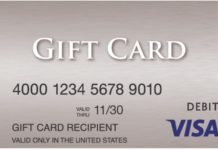
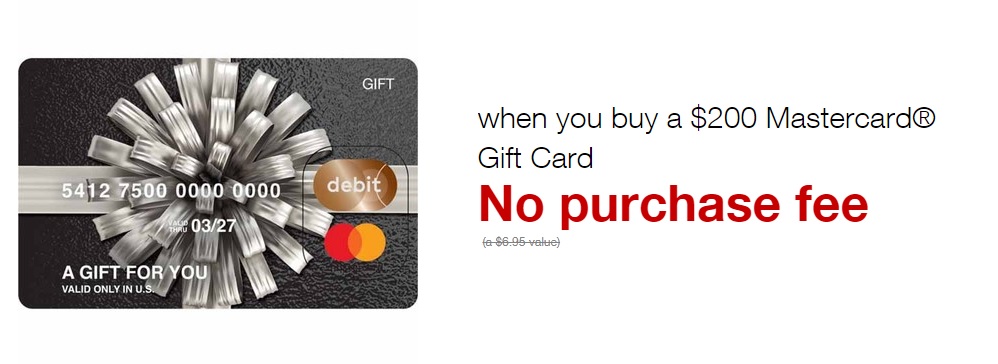
Staples: Save $15 when you buy $150 or more in MasterCard® gift cards after easy rebate

Valid through Saturday, May 4

You have to go into the store for this one.  Buy $150 or more of MasterCard gift cards (not Visa gift cards!) and you should qualify for a $15 Easy Rebate.  The rebate should print automatically along with your receipt.

Limit 1 rebate per household (no, I don’t know if this limit is easy to circumvent)

image

It should be possible to set PINs on these gift cards to use at Walmart, but I haven’t tried these yet and some people have reported issues with MasterCard gift cards and PINs, so as always, it may or may not work for you.

Hat Tip: Joshua

Staples: $10 off coupon

Valid through Saturday, May 4

UPDATE: The coupon is no longer working for gift card orders

This one is online only.  $10 off any order of $100 or more.  Seems to work with some items that you wouldn’t expect (see photo above for an idea of a related product).  Limited to one order per household.  Use coupon code 43994 at checkout.  Start your session from uPromise to possibly get 5% cash back.  Pay with a card that gets 5X at office supply stores (see “Best Category Bonuses“).

image

Here’s an example checkout receipt:

image

Hat Tip: Grant


Venmo ups limit to $3K

Hat Tip to Travelomania on FlyerTalk. This may be exciting news to those who have a debit card that earns rewards.  A friend reminded me that Venmo does not like people to swap payment sources too often so this is not a good option for draining gift cards.  I don’t use Venmo, nor do I have a rewards debit card (details coming in a future post) so I can’t really help you with details.


Follow me on Twitter / Like me on Facebook / Find me on Google+


If you are new to collecting miles, click here for the free newsletter
If you are new to Frequent Miler, start here


Posted by FrequentMiler | 69 Comments

Last week I described the beginning of my quest to find the perfect Visa gift cards (see “The hunt for perfect gift cards, part 1“).  As a reminder, here are the characteristics of the “perfect” gift cards that I’m searching for:

  • Low fee as a % of total value.  The ideal gift card would have a fee equal to, or less than, 1% or its maximum value.
  • Ability to earn credit card category bonus points (see “Best Category Bonuses“).
  • The ability to earn store reward points (such as fuel points) would be a big plus.
  • Ability to set the card’s PIN quickly and easily.  I would like to be able to pickup the gift card at one store and then drive over to Walmart to load it to my Bluebird account with minimal fuss in between.
  • High denomination.  Bluebird cards can be loaded up to $1000 per day (and $5000 per month) at Walmart.  If I’m going to visit Walmart anyway, I’d like to load the full $1000 each time.  The fewer gift cards it takes to do this, the better.  In other words, a $1000 gift card would be ideal (but I’ve never seen those in stores), and $500 gift cards are really good.  Cards with lower values are much less attractive.

In part 1, I visited Kroger, Speedway, OfficeMax, and Sears.  At that time I found that Visa gift cards from all four merchants worked fine to load Bluebird.  Overall, the gift card from Kroger was the best deal because I earned fuel points along with the purchase.  And, the OneVanilla card I bought at Speedway was the most convenient because it did not require a PIN to be set in advance.

In the comments of my previous post, a reader named Chris said:

I would like to add that you do NOT have to add a pin to the “Kroger” gift card. Just go to CS at Walmart give them your BB card and then swipe the card as debit, enter any pin and load. It sets up with the first pin too. It even asks if you want cash back!!

If that’s true, that would be huge.  Gift cards from Kroger would be both a fantastic deal and incredibly easy to use.  So, for the second part of this quest, I returned to Kroger to try this out.  I also bought $200 gift cards from Staples and Office Depot to see how those compared…

Kroger

I bought the same $500 U.S. Bank Visa gift card that I had bought before.  Again, I earned 500 fuel points for the purchase.

VisaGiftCard_USBank_thumb2

My goal was to see if I could use this card as a debit card at Walmart without first registering a PIN.  I went to Walmart’s MoneyCenter Express ATM (see “Bluebird swipe reloads via ATM“) to try to use the card to load $500 to my Bluebird card.  When it was time to enter my PIN, I made one up.  The machine tried to authorize the transaction, but it was denied.  I remembered that some gift cards use the last four digits of the card number as the default PIN so I tried again with those numbers, but once again the transaction was denied.  Ugh.  I then called Visa at 866-952-5653 to setup a PIN.  Once done, I tried again.  Again, the transaction was denied.  I then used my phone’s browser to register the card online.  And, I tried again.  Denied again.  Frustrated, I gave up on that card for the day.  I’ll try again this week.

Office Depot

My local Office Depot sells Vanilla Visa gift cards in denominations of $200 with a $6.95 fee.  I bought one and paid with a card that offers 5 points per dollar at office supply stores (see “Best Category Bonuses“). 

Visa Vanilla Office Depot

Since this was a Vanilla gift card sold by the same company as the OneVanilla card I had bought previously at Speedway, I thought that I would be able to use this card without first setting a PIN.  At Walmart, I went to the MoneyCenter Express ATM and attempted to load $200 using a PIN that I made up on the spot.  Success!

Staples

Just like Office Depot, Staples sells Visa gift cards in denominations as high as $200 with a $6.95 fee, but these are issued by MetaBank.  I bought one and paid with a card that offers 5 points per dollar at office supply stores (see “Best Category Bonuses“).

Visa_MetaBank_Staples

I wanted to see if this card could be used without setting a PIN in advance.  At Walmart’s MoneyCenter Express ATM I attempted to load $200 using a PIN that I made up on the spot. Denied.  I tried again, but this time I used the last four digits of the gift card’s 16 digit number.  Success!

Summary

My experiment to use the U.S. Bank gift card bought at Kroger without pre-setting a PIN was a failure, but I don’t know why.  Even after setting the PIN, I wasn’t able to use the card.  I’ll have to do more experiments with these cards to try to figure out what works and what doesn’t.  If you have experience with these cards, please let me know what you’ve found!

My experiments with gift cards from Office Depot and Staples were successful.  The gift card from Office Depot could be used with any made-up PIN (for the first time use), and the gift card from Staples could be used with the last four digits of the card number as the PIN. 

Let’s look at how the office supply store gift cards rate with each of my criteria:

Low Fee

$6.95 for a $200 gift card is definitely not a low fee at 3.48%.  $500 gift cards have fees close to 1%.  However, $100 gift cards generally have 6% fees, so these are right in the middle.

Category bonus

With the right credit/charge card (see “Best Category Bonuses“), 5X at office supply stores is the best category bonus available.  This goes a long way toward making up for the relatively high gift card fees.

Store Rewards

Neither Office Depot nor Staples give rewards for gift card purchases.

Easy PIN setup

It doesn’t get any easier than this.  No need to register a PIN with either card.  With the Office Depot card, use any PIN you want.  With the Staples card, use the last four digits of the card number.  If you forget which is which, simply always use the last four digits of the card number and you should be good to go.

High Denomination

These cards are in the middle of the pack again on this score.  They’re not nearly as convenient as $500 gift cards, but they’re twice as convenient as $100 gift cards.

Relative value of office supply gift cards

If you don’t mind dealing with $200 cards, then the main problem with the gift cards from Office Depot and Staples is their relatively high fee.  Suppose, though, you use some of the points earned to pay yourself back at one cent per point.  Would these cards still be a good deal?  Here’s the math:

  • Buy $200 Visa gift card for $206.95
  • Earn 5X:  5 X 206.95 = 1035 points
  • Pay back fee with points: -695 points
  • Points remaining: 340
  • Points earned as a multiple of $200 spend: 1.7X

That’s pretty good!  This means that you can buy and liquidate Visa gift cards (through Bluebird) for free and still earn 1.7 points per dollar.  That’s a better earning rate than you would get from buying gift cards at a grocery store with most credit cards, but there are better deals (depending on how you value each type of point earned).  Here are a few examples:

  • Earn 5X at grocery stores (and drug stores & gas stations) for the first year with the special Citi ThankYou Preferred offer.
  • Earn 6% cash back at grocery stores with the American Express Blue Cash Preferred card (capped at $6K per year in spend).
  • Earn 2X at grocery stores with the American Express Premier Rewards Gold card.  This is only a better deal than the office supply options if you earn fuel points for your purchases (as I did at Kroger).


Conclusion

I have more work to do to figure out what’s going on with the U.S. Bank card from Kroger, so there’s really no news right now on that front.  As to the $200 gift cards from Office Depot and Staples, I found that they are quite easy to work with, and a really solid way to earn extremely valuable points if you don’t mind dealing with their lower denominations.

What have you found that works well or that doesn’t work at all? Please comment below.


Follow me on Twitter / Like me on Facebook / Find me on Google+


If you are new to collecting miles, click here for the free newsletter
If you are new to Frequent Miler, start here


Posted by FrequentMiler | 69 Comments

Lately I’ve written quite a bit about credit card churning (see, for example, “Million Mile Madness: The big churn story“).  Now that I have 10 new credit cards coming my way, its time to find ways to meet my minimum spend requirements.  That’s where gift card churning comes in.  Fortunately, there are several current and upcoming deals that will help:

Staples $15 rebate on $150 or more in Visa prepaid cards

I reported this deal last week, and it is now live until March 9th.  Readers are reporting that the online rebate form allows you to select a check rather than a Visa card if you prefer.  Best bet is to buy a $200 Visa for $206.95.  You’ll make a small profit.  Plus, if you use a card that gets a good bonus at office supply stores (see Best Category Bonuses), you’ll earn lots of points.  Sadly, limit is one per household.

Amex gift cards 2% cash back, March 12th

Next week, TopCashBack is planning a one day special in which they’ll bump up the payout on American Express Gift Cards to 2% from the usual rate of 1.5%.  This could be a great way to get ahead on paying taxes (see “Pay federal taxes by credit card, almost for free“).  Or, if “almost free” isn’t good enough, see “Pay Federal Taxes via Credit Card for Free.”  The rates listed in the latter post are out of date, but the general ideas still work.  If you don’t have big tax payments to make, see also “Using the Target Amex card to run up spend.”

Plastic Jungle 3.14% cash back, March 14th

TopCashBack will be celebrating Pi day (3/14) by bumping up the PlasticJungle payout from 2.5% to 3.14% just for that one day.  PlasticJungle buys and sells discount gift cards.  By going through TopCashBack on March 14th, you can get back 3.14% of the buy or sell price.

TopCashBack reliability

Quite a few readers have reported serious frustrations with using TopCashBack, and many have stopped using the service altogether.  I can’t speak for others, but I can describe what my experience has been.  In my case, the reliability of the portal seems to be linked to specific merchants.  That is, with some merchants I’ve never received cash back whereas with others cash back has been relatively quick and reliable.  Here are some specific experiences:

  • CouponTrade (now called Raise): Terrible experience.  Never received cash back except from a TopCashBack customer service courtesy adjustment.
  • Vision Direct: Cashback from a July 2012 purchase still shows as confirmed, but is not yet payable 8 months later. 
  • American Express Gift Cards: Purchases from January 11 still show as confirmed, but not yet payable.  Often the process takes about 3 months, so I’m not yet concerned about this one, but I don’t yet have proof that this merchant is reliable through TopCashBack.
  • The following have all moved reliably through the phases (from pending, to confirmed, to payable) for me:
    • PlasticJungle
    • Cardpool (Note: Cardpool has specific limits on cash back)
    • Staples
    • Marriott
    • DrugStore.com

Of course, your experiences may vary, but I thought it might be helpful to show where TopCashBack has worked for me and where it has not.  What have your experiences been?

Related posts and links


Follow me on Twitter / Like me on Facebook / Find me on Google+


If you are new to collecting miles, click here for the free newsletter
If you are new to Frequent Miler, start here


Posted by FrequentMiler | 45 Comments

This deal is good today only 3/3/2013 

Staples has two new FAR (Free after Rebate) software downloads today only thanks to two overlapping rebates!  These are a great way to make progress toward meeting credit card minimum spend thresholds or to earn points for buying software regardless of whether you actually want the software.

The idea here is to go through an online portal to Staples.com. Once there, buy ten copies of each of these “Free After Rebate” downloadable software products for a total cost of $799.80 (or less if you apply a coupon).  If you use your Chase Ink card you will earn 5 points per dollar since this is an office supply purchase.  In other words, you could earn about 4000 points for free.  See Preparing for Miles for more info about the Ink and other cards.

Staples has an amazingly easy “Easy Rebate” system. Once you purchase the software, they send you a rebate link via email. You click the link, fill out a little bit of info and you’re done. Note that you will have to wait a while, though. It takes 4 to 6 weeks to receive your check.

If you have questions, please see the Q&A section at the bottom of this post.  Also checkout this SlickDeals thread for additional details.

Here are the steps to follow:

Step 1: Choose a shopping portal:

You can get additional points or cash back by starting with a shopping portal. Some good choices are TopCashBack 5.5%, uPromise 5%, ShopDiscover 5%, and the Ultimate Rewards Mall 2 points per dollar.

Step 2: Add ten copies of “Kaspersky Anti-Virus 2013 for Windows (1-3 User) [Download]” to your cart:

TIP: Search for item 991094

image


And, add ten copies of “Kaspersky Anti-Virus 2013 for Windows (1 User) [Download]” to your cart

TIP: Search for item 982926

image

Step 3: Check out

TIP 1: If you have Staples’ rewards money, use it! If you have a Chase Ink card that gives 5X for office supplies, use it!

TIP 2
: Your state may charge sales tax. If you know someone in a state that doesn’t charge sales tax for downloadable internet orders (CA, NH, etc.), then set their address as the delivery address and no tax will be charged. This is a download only purchase anyway, so nothing will really be delivered. I picked “deliver to store” and picked a store in New Hampshire. Of course, there won’t really be anything to pick up.

TIP 3: Consider using coupon code 62355 to save $15 from your order.  Caution: Some think that the use of the code will increase the chance of your order getting held up as “researching” and possibly eventually cancelled.  I took the risk and did one order with the coupon and one without.  The coupon is supposed to be limited to one time use per household.

Step 4: Submit Easy Rebates

You will receive an email from Staples with a link in it for submitting the rebates . It’s easy!  Don’t forget to add all four rebates (two per product)!

TIP: The software rebate can be changed from a Visa gift card to a check! About 4 screens into the rebate process, you’ll see something like this (screenshot is from a previous rebate, not the current ones):

image_thumb10

Click on “or see other options for my reward” and you’ll see this:


Q&A:

Same Item

  • Q: In the past I’ve bought the exact same item for the rebate. Can I do this again?

  • A: Yes. As long as the rebate number is different from your past purchases, you should qualify for a new rebate. This rebate is different from any I’ve posted about in the past.

Per Household Limit

  • Q: Can I buy a copy for every friend I know?

  • A: I don’t recommend it. I know at least one person who tried to do something similar, but Staples did not approve the second set of rebates. I don’t know how they figured it out.

Status = Researching

  • Q: The status of my order says “researching”. What’s up with that?

  • A: Staples needs to verify your order. Sometimes this happens if you have the wrong email address or phone number on file. Simply give them a call or do an online chat with them to verify the information they need. Once that is done, they’ll confirm the order.

Ultimate Rewards Mall T&C

  • Q: The Staples’ Terms and Conditions in the Ultimate Rewards Mall says “Not eligible on promotional items, technology, software, and electronics”. Shouldn’t this deal be ineligible since this is software? And, aren’t these free after rebate items “promotional”?

  • A: In all past FAR deals, points have posted despite these terms & conditions, but there is always a risk that portal points won’t post.

Do I have to use a Chase credit card?

  • Q: If I go through the Ultimate Rewards Mall to Staples, do I have to pay with a Chase credit card in order to get bonus points from the mall?

  • A: No, you can use any credit card, but you may have better luck with a Chase card. For details and information about risks involved please see Ultimate Question.

Rebate Time

  • Q: How long will it take for my rebate to arrive?

  • A: The Staples web site says to expect 4 to 6 weeks. In my experience, that estimate is fairly accurate.

Download

  • Q: Do I have to download this software so that I can qualify for the rebate?

  • A: No! I didn’t download any of the software I’ve bought in the past, but all rebates processed successfully.

Do Good

  • Q: I don’t need this software. Is there someone I can send the license keys to that could make good use of this stuff?

  • A: Check with your local schools or libraries. If someone can make good use of this software, then great!


Follow me on Twitter / Like me on Facebook / Find me on Google+


If you are new to collecting miles, click here for the free newsletter
If you are new to Frequent Miler, start here


Posted by FrequentMiler | 182 Comments

Starting March 3rd, Staples will be offering a $15 prepaid card via easy rebate when you purchase $150 or more in Visa prepaid cards.  I’ll cover this in full next week!  Click here to see the offer.

image

Posted by FrequentMiler | 39 Comments

This just appeared in my email:

image

Last April I reported that Staples was testing this program in select markets (see “Staples ups the ante (targeted)“).  I assume that this new email means that the program is now available to all rewards members, but I don’t know for sure.  Its possible that they are just expanding the rollout to additional areas.  Please comment below if you know more.

This is exciting news for a few reasons:

  • Free shipping!
  • 5% back in rewards makes possible a quadruple dip: 1) Use a Staples coupon; 2) Pay with a card that earns a great bonus at an office supply store (such as one of the Chase Ink cards); 3) Go through an online portal to earn extra points or cash back; and 4) Earn 5% in rewards!
  • Staples rewards can often be converted to cash by using the rewards to buy Free After Rebate items.  It’s a bit of work and it takes a while, but still…

Unfortunately, it doesn’t look like it will work for buying gift cards.  Here are the Terms & Conditions (bolding is mine):

As of 3/15/13 Staples Rewards® members receive 5% back in rewards on all items excluding taxes, postage, prepaid phone cards, delivery charges, coupons, gift cards and purchases made on third-party Web sites. Staples Rewards back are issued online monthly when the value of the Reward is at least $10. Rewards expire no less than 60 days after issuance. Monthly balances of less than $10 will roll over each month until the minimum is met for that calendar quarter. If the $10 minimum for the quarter has not been met, the balance will expire at the end of the quarter. Rewards members receive free shipping on all orders placed on staples.com® or by phone at 1-800-333-3330 for which a membership account is identified, excluding orders made at staplescopycenter.com, print.staples.com, staplespromotionalproducts.com and third-party Web sites linked to staples.com. Standard Staples delivery policies apply. Recycle any ink or toner cartridge, up to 10 per calendar month per customer, and, if the member has spent at least $30 in ink and/or toner purchases at Staples over the previous 180 days, the member will receive $2 back in Staples Rewards per cartridge. Ink and/or toner purchases made on the date of recycling are calculated toward minimum purchase requirement. Minimum purchase requirement is net of coupons, taxes and shipping charges. We will recycle additional cartridges but rewards will only be issued for 10 per calendar month per customer. Ink Recycling Rewards are issued online monthly, separately from your standard Staples Rewards statement. Ink resellers and remanufacturers are strictly prohibited from earning Ink Recycling Rewards. Staples Rewards membership is FREE. Limit one Staples Rewards account per person or at any mailing address. For full program details, visit staplesrewards.com.


Follow me on Twitter / Like me on Facebook / Find me on Google+


If you are new to collecting miles, click here for the free newsletter
If you are new to Frequent Miler, start here


Posted by FrequentMiler | 11 Comments

Office supply stores and travel hacking are a strange combination, but in the past year or two they’ve been great together.  Thanks to credit card bonus categories, Easy Rebates, big portal promotions, Vanilla Reload cards, and more, office supply stores have been a fantastic source of free or cheap points.  While many of these deals have gone away, there are still some great opportunities.  For example, here are a couple:

  1. Take advantage of American Express’ OPEN Savings program (automatically part of most Amex business cards) at OfficeMax.com to get 10% back on orders of more than $250.  This way you can get credit card rewards from your purchase (as always), plus sizable savings.  And, OfficeMax.com recently began selling third party gift cards…
  2. Take advantage of credit cards that offer extra points at Office Supply stores (Chase Ink cards, for example), and go through an online portal to Staples.com to make purchases.  Staples.com carries some third party gift cards, and their e-gift cards are fee-free.  I’ve successfully gone through TopCashBack to Staples to get 5.5% cash back plus I’ve earned 5 points per dollar using my Chase Ink card!

So, now that Office Depot and OfficeMax are merging, what’s next?  Here are my completely uninformed guesses of what will happen:

  • The new entity will be called Office Depot and will act like Office Depot in terms of what products are sold, the rewards program, etc.
  • Many stores will close, especially where Office Depot and OfficeMax are currently in close proximity.
  • We will lose the ability to save up to 10% via Amex OPEN Savings.  Of course it’s possible that Amex will negotiate a similar deal with the new entity, but my guess is that this benefit will go away entirely.
  • There will be short term deals as stores close and as stores formerly known as OfficeMax get rid of whatever inventory is not carried by Office Depot.
  • OfficeMax’s MaxPerks rewards program will be phased out.  I expect that they’ll give people time to spend their MaxPerks rewards, but will issue new rewards as Office Depot Worklife rewards.

So, yeah, I expect that most of this will be bad news to consumers and pointaholics.  For people who live in places with either OfficeMax or Office Depot, but not both, there may be some good news in that whatever deals are available should be available to them.  On the whole, though, its probably not a good thing.  On the optimistic front, maybe this bigger entity will work harder to compete with Staples and we’ll see some new, great opportunities.  We’ll see…

Hat tip to Tweeter named Mark for coming up with the name “Office DeMax”. I like it!


Follow me on Twitter / Like me on Facebook / Find me on Google+


If you are new to collecting miles, click here for the free newsletter
If you are new to Frequent Miler, start here


Posted by FrequentMiler | 18 Comments

This deal is good until November 24 2012 (Saturday).

Staples is back with a new FAR (Free after Rebate) software download. Usually, these are a great way to make progress toward meeting credit card minimum spend thresholds or to earn points for buying software you may or may not want. This week’s deal is small, but I predict that it is a harbinger of much more to come in the next few months. 

The idea here is to go through an online portal to Staples.com. Once there, buy only one copy of this “Free After Rebate” downloadable software product for $59.99. If you use your Chase Ink card via the Ultimate Rewards Mall, you will get 2 points per dollar from the Ultimate Rewards Mall and another 5 points per dollar if you pay with your Chase Ink card (since this is an office supply purchase). If you use a Freedom or Sapphire card, you will earn 2 points per dollar from the Ultimate Rewards Mall and another 1 point per dollar from your Chase card. This means that you can earn between 180 and 420 free points. See Preparing for Miles for more info about the Ink and other cards.

Staples has an amazingly easy “Easy Rebate” system. Once you purchase the software, they send you a rebate link via email. You click the link, fill out a little bit of info and you’re done. Note that you will have to wait a while, though. It takes 4 to 6 weeks to receive your check.

If you have questions, please see the Q&A section at the bottom of this post.

Here are the steps to follow:

Step 1: Choose a shopping portal:

According to HikerT’s website, the Ultimate Rewards Mall currently offers 2X for Staples purchases. Alternatively, you can go to TopCashBack for 5.5% cash back, or uPromise or ShopDiscover for 5% cash back. 

Step 2: Add one copy of “Kaspersky Internet Security 2013 for Windows (1-User) [Download]” to your cart:

TIP: Search for item 982927

image

Step 3: Check out

TIP 1: If you have Staples’ rewards money, use it! If you have a Chase Ink card that gives 5X for office supplies, use it!  Alternatively, if you have a Discover card registered for the quarterly 5% bonuses, you will earn another 5% cash back for this online purchase.

TIP 2
: Your state may charge sales tax. If you know someone in a state that doesn’t charge sales tax for downloadable internet orders (CA, NH, etc.), then set their address as the delivery address and no tax will be charged. This is a download only purchase anyway, so nothing will really be delivered. I picked “deliver to store” and picked a store in New Hampshire. Of course, there won’t really be anything to pick up.

Step 4: Submit Easy Rebates

You will receive an email from Staples with a link in it for submitting the rebate form. It’s easy!

TIP: The software rebate can be changed from a Visa gift card to a check! About 4 screens into the rebate process, you’ll see this:

image

Click on “or see other options for my reward” and you’ll see this:


Q&A:

Same Item

  • Q: In the past I’ve bought the exact same item for the rebate. Can I do this again?

  • A: Yes. As long as the rebate number is different from your past purchases, you should qualify for a new rebate. This rebate is different from any I’ve posted about in the past.

Per Household Limit

  • Q: Can I buy a copy for every friend I know?

  • A: I don’t recommend it. I know at least one person who tried to do something similar, but Staples did not approve the second set of rebates. I don’t know how they figured it out.

Status = Researching

  • Q: The status of my order says “researching”. What’s up with that?

  • A: Staples needs to verify your order. Sometimes this happens if you have the wrong email address or phone number on file. Simply give them a call or do an online chat with them to verify the information they need. Once that is done, they’ll confirm the order.

Ultimate Rewards Mall T&C

  • Q: The Staples’ Terms and Conditions in the Ultimate Rewards Mall says “Not eligible on promotional items, technology, software, and electronics”. Shouldn’t this deal be ineligible since this is software? And, aren’t these free after rebate items “promotional”?

  • A: In all past FAR deals, points have posted despite these terms & conditions.

Do I have to use a Chase credit card?

  • Q: If I go through the Ultimate Rewards Mall to Staples, do I have to pay with a Chase credit card in order to get bonus points from the mall?

  • A: No, you can use any credit card, but you may have better luck with a Chase card. For details and information about risks involved please see Ultimate Question.

Rebate Time

  • Q: How long will it take for my rebate to arrive?

  • A: The Staples web site says to expect 4 to 6 weeks. My first rebates arrived after about 5 weeks so it looks like Staples’ estimate is fairly accurate.

Download

  • Q: Do I have to download this software so that I can qualify for the rebate?

  • A: No! I didn’t download any of the software I’ve bought in the past, but all rebates processed successfully.

Do Good

  • Q: I don’t need this software. Is there someone I can send the license keys to that could make good use of this stuff?

  • A: Check with your local schools or libraries. If someone can make good use of this software, then great!


Follow me on Twitter / Like me on Facebook / Find me on Google+


If you are new to collecting miles, click here for the free newsletter
If you are new to Frequent Miler, start here


Posted by FrequentMiler | 79 Comments

The following deal is valid until November 24 2012. 

On Friday I mentioned a lucrative deal from Staples: Buy $100 in Visa or MasterCard gift cards and get a $15 Staples gift card as a Staples Easy Rebate (limit 10 Staples Gift Cards per name/address/household).

image_thumb9

This is a pretty nice deal by itself, but there are a couple of ways to make the deal even better:

  • Use a credit card that offers extra points or cash back at Office Supply stores.  For several examples, see “Best Category Bonuses“.  If you use a Chase Ink card to buy $1000 worth of gift cards, for example, you’ll earn over 5000 Ultimate Rewards points in addition to a $150 Staples gift card!
  • Or, use a credit card with which you are working on meeting minimum spend requirements.  This is a nice way to spend $1000 and get even more spending power in return.
  • Buy $200 Visa gift cards.  Reports from SlickDeals and Dan’s Deals show that when you buy a $200 Visa gift card, you qualify for a rebate of $30 in Staples gift cards.  By buying Visa cards in $200 increments, you substantially lower the fees as a percentage of card value.  $200 cards have a fee of $6.95 each (3.475% fee) whereas $100 cards have a fee of $5.95 each (5.95% fee).

How it works

To take advantage of this deal you need to go in person to a Staples store and buy up to $1000 worth of Visa or MasterCard gift cards.  The register will automatically print out a rebate receipt.  Take the receipt home and fill out the rebate online.  Wait 4 to 6 weeks to receive your Staples’ gift card in the mail.  Note that Staples gift cards can be used in-store, but not online.

According to reports, you will receive one gift card containing the entire value of your rebate.  For example, if you buy $1000 worth of MasterCard or Visa gift cards, you will receive a single $150 Staples gift card rather than 10 separate $15 cards.

What to do with all those gift cards

The Visa and MasterCard gift cards can be used like regular credit cards almost anywhere that credit cards are accepted.  If you need to liquidate those cards for actual cash, please see “Using the Target Amex card to run up spend” for one good option.

With the Staples gift card, of course you can use it to actually buy merchandise at Staples.  Another option is to look for in-store Free After Rebate offers at Staples and buy those products.  It’s a slow, but viable way to turn your Staples credit into cash.  Finally, if you really can’t wait, consider going through TopCashBack to Plastic Jungle to sell the gift card.  You won’t get the full value of the gift card, but at least you’ll get paid fairly quickly (in my experience).

Rebate step by step instructions


Step 1: Buy gift cards at Staples

Go to Staples in person and buy no more than $1000 worth of Visa and/or MasterCard gift cards.  If possible, pay with a credit card that earns extra points or cash back at office supply stores.  Make sure that you get a Rebate Receipt in addition to the normal purchase receipt.  As I mentioned above, the best value at Staples are the $200 Visa gift cards.

Step 2: Fill out the online rebate form

Go to www.stapleseasyrebates.com to fill out the online rebate form. 

Step 3: Click “store purchase”

image

Step 4: View the example rebate form

On the next screen, there is an example of the rebate redemption form that came with your receipt.  Note that this screen shows you where to look to find both the Rebate Offer Number and the Easy Rebates ID number.  Scroll down within the screen to see an example of the latter.  Then, press “Start Now”.

image


Step 5: Enter the rebate offer number and your easy rebate ID number

Both numbers can be found on the form labeled “Rebate Redemption Form” attached to your store receipt.  The rebate offer number is 12-28680.  The Easy Rebate ID number is unique to each purchase and can be found at the very bottom of the Rebate Redemption Form directly under the bar code.  This number isn’t labeled so you’ll just have to trust that it’s the right number.  In my case it was a 17 digit number.

image


Step 6: No need to add another rebate offer

If you purchased all of the gift cards in one transaction at the store, then you only need to do this process once.  So there should be no need to add another rebate on the next screen.  Instead, just press “Next”.

image

Step 7: Tell Staples where to send the rebate

If you’ve filled out Staples Easy Rebates before, you may be able to click “retrieve” to get Staples to fill out this section for you.  Otherwise, fill out your name and address.

image


Step 8: Press Next

Nothing to do on this screen, but press “next”.  With some rebates you are given the choice to switch from a gift card to a check, but not in this case.

image

Step 9: Submit the rebate

Check that the info is correct and press “Submit Rebate”.

image

Checking status

After you submit the rebate, you will receive an email confirming the submission.  Within that email is a link to check the status of your rebate.  If you click that link soon after submitting the rebate, you’ll see a screen like this one:

image

After a few hours, you’ll receive a new email with the heading “Update! Your rebate is being processed!” At, that point, if you check the status you will see something like this:

image

Notice that the screen now shows the products I purchased and the expected rebate.


Follow me on Twitter / Like me on Facebook / Find me on Google+


If you are new to collecting miles, click here for the free newsletter
If you are new to Frequent Miler, start here


Posted by FrequentMiler | 101 Comments

I have a few little things to report…

Staples $15 gift card

In Staples’ upcoming ad, which is valid from Nov 11 to Nov 17, they are showing a deal where you can buy $100 in MasterCard or Visa gift cards and get back a $15 Staples gift card as an easy rebate.  Each $100 Visa or MasterCard comes with a $5.95 activation fee.  This can be a lucrative deal if you make the purchase with a Chase Ink card or other card that earns extra points at Office Supply stores (see “Best Category Bonuses“).  This offer is in-store only.  No word yet on how many rebates each person can earn (when Staples ran a similar promotion recently, each person was limited to 10 rebates).  I’ll write up more about this, and how best to leverage it, when the full offer is released.

image

Staples Free After Rebate deals

DealsWeLike reports that Staples will have several Free After Rebate deals on Black Friday.  Unfortunately, most of the deals are mail-in rebates rather than the much easier “Easy Rebates”.  See “Free 5x Points at Staples on Black Friday” for details.

BlueBird MoneyPass ATM withdrawals

I recently used PayPal and TopCashBack to “direct deposit” some money to my BlueBird account (see “Bluebird Updates“).  In order to get free use of MoneyPass ATMs with a Bluebird card, you have to have made a direct deposit to your Bluebird account within 30 days prior.  This seems to have worked!  I used the MoneyPass ATM locator to find one in my town and I went to take out some money.  The machine didn’t say anything about it being a MoneyPass ATM so I was a bit nervous, but I went ahead and requested some cash from the machine anyway.  I was even more nervous when the machine said that I would be charged $2 for the transaction (but, hey, $2 isn’t really much for the sake of a Frequent Miler Laboratory experiment).  I pressed OK and got my money.  When I got home, I checked my Bluebird account.  ATM Fee = $0.  Sweet!

Photo Nov 07, 2 17 21 PM


Follow me on Twitter / Like me on Facebook / Find me on Google+


If you are new to collecting miles, click here for the free newsletter
If you are new to Frequent Miler, start here


Posted by FrequentMiler | 40 Comments

« previous home top