Find the Lowest Airfares Fast with Google Flights’ Latest Features

Table of Contents
- Introduction
- How to Find Hidden Cheap Flights with Google Flights’ “Cheapest” Tab
- Why Google Flights’ Price Guarantee Feature Is a Must-Use Tool
- Optimize Your Booking Time with Historical Price Insights
- Stay Updated with Price Tracking Notifications
- Explore Destinations with the Google Flights “Explore” Feature
- Make the Most of Creative Itineraries
- FAQs
- Conclusion: Navigate Airfare Savings with Confidence
- Next Steps
Introduction
In today’s world of endless travel possibilities, finding the best flight deals quickly is more important than ever. Whether you’re a seasoned globetrotter or planning your first big adventure, saving on airfare means more funds to spend on creating unforgettable memories. Thanks to Google Flights, securing the lowest airfares has never been easier. Let’s dive into Google Flights’ latest features that are transforming the way we search for flights and discover how you can make the most of them.

How to Find Hidden Cheap Flights with Google Flights’ “Cheapest” Tab
Google Flights has unveiled an innovative “Cheapest” tab, tailor-made for travelers hunting for the most affordable flight options. This feature shines a light on flight combinations that might escape standard searches, including routes with longer layovers, self-transfers, or bookings through multiple airlines, which can significantly reduce your travel costs.

Imagine you’re planning a trip from New York to London. The “Best” flights might show direct options at $500. However, by clicking on the “Cheapest” tab, you might find a flight for $300 with a 12-hour layover in Reykjavík. Not only do you save $200, but you also get the chance to explore Iceland during your layover—a bonus adventure! This is an excellent example of how the “Cheapest” tab can unlock hidden cheap flights, even if it involves some trade-offs like longer travel times (Thrillist).
Here are some tips to effectively use the “Cheapest” tab:
- Be Flexible with Layovers: Consider itineraries with longer layovers in interesting cities.
- Look for Self-Transfers: Flights with self-transfers may require re-checking luggage but often come with lower fares (9to5Google).
- Check Multiple Airports: Searching nearby airports can reveal cheaper options.
- Compare Before Booking: Weigh the cost savings against the convenience of the itinerary.
By embracing these creative itineraries, you not only save money but might also experience unexpected destinations along the way. For more strategies on finding affordable flights, read our guide on how-to-find-cheap-flights.
Why Google Flights’ Price Guarantee Feature Is a Must-Use Tool
One of the standout features of Google Flights is the Price Guarantee program. This feature ensures you get the best deal by refunding the difference if the price of your booked flight drops before departure (Google Support). It’s like having a safety net for your travel budget.

Here’s how the Price Guarantee works:
- Look for the Price Guarantee Badge: When searching for flights, watch for the badge indicating eligibility.
- Book Through Google Flights: Complete your booking directly through the platform for eligible flights departing from the U.S.
- Automatic Refunds: If the price drops, Google refunds the difference via Google Pay after your first flight departs.
Example: Jessica from California booked a flight to Mexico for $400, and after booking, the price dropped to $350. Because she booked a flight with the Price Guarantee, Google automatically refunded her the $50 difference. “I was worried about booking too early, but knowing I’d get the refund if prices dropped gave me peace of mind,” she shared.
This feature removes the stress of timing your purchase perfectly. You can book confidently, knowing that you’re protected against price fluctuations. For more on safeguarding your travel expenses, check out our article on travel-insurance-tips.
Disclaimer: The Price Guarantee program is subject to terms and conditions. Be sure to review them on the official Google Flights Help Center website.
Optimize Your Booking Time with Historical Price Insights
Timing is key when booking flights, and Google Flights’ Historical Price Insights can help you nail it. This tool analyzes past pricing data to inform you whether current fares are low, typical, or high compared to historical averages (Google Travel Blog).
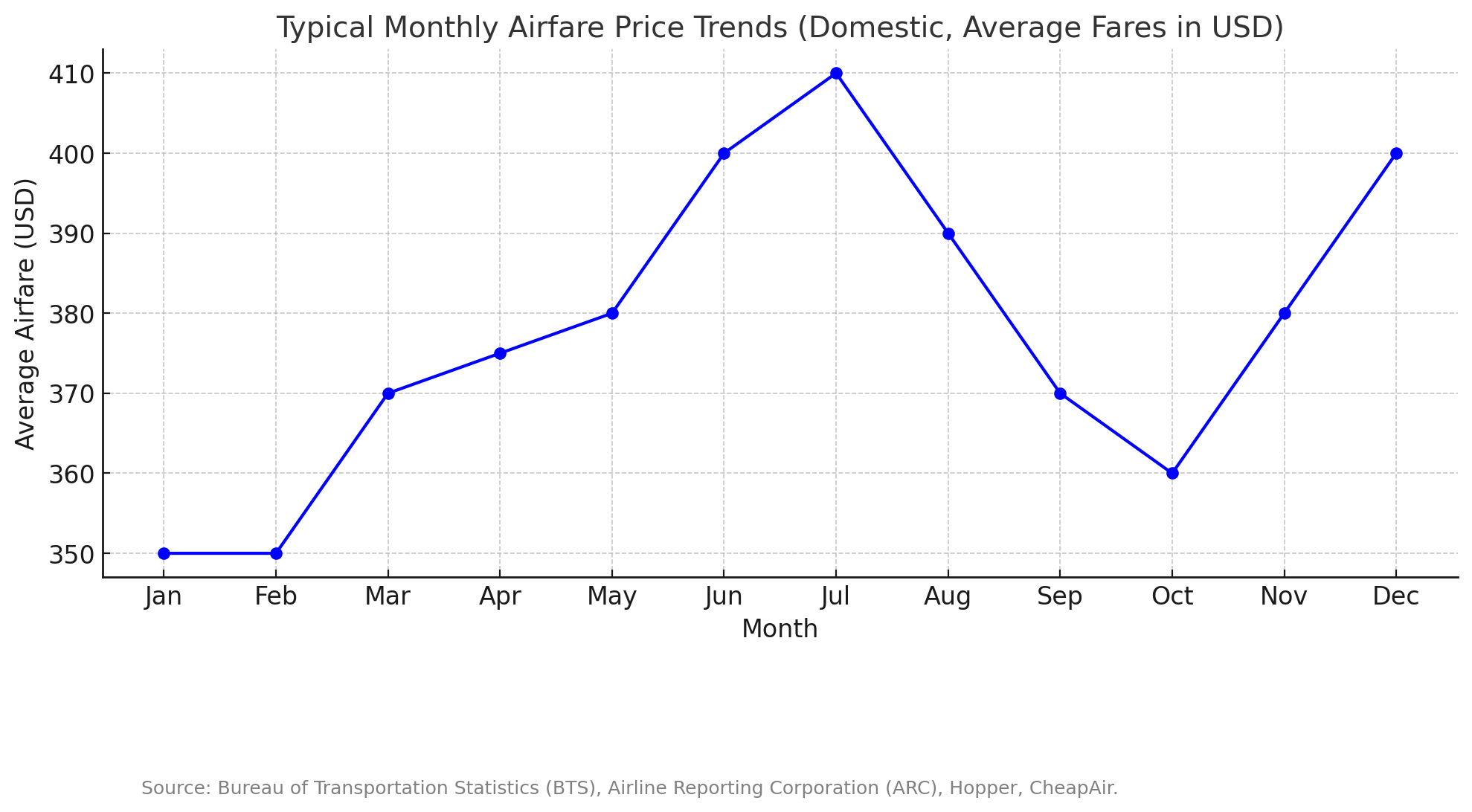
To make the most of this feature:
- Observe Price Trends: When you search for flights, pay attention to notes about current prices versus typical prices.
- Decide When to Book: If prices are low, consider booking immediately. If high, you might choose to wait.
- Set Price Alerts: Use price tracking to monitor fares over time.
- Plan Ahead: Use insights to plan future trips during historically cheaper times.
For example, if you’re planning a trip to Paris and notices indicate that prices are higher than usual, it might be wise to hold off booking or adjust your travel dates. This strategic approach can lead to substantial savings. Learn more about timing your purchases in our post on the-best-time-to-book-flights.
Stay Updated with Price Tracking Notifications
Don’t have time to constantly check flight prices? Let Google Flights do the work with its Price Tracking Notifications. This feature alerts you when prices drop for flights you’re interested in, ensuring you never miss a great deal (Google Travel Blog).
Here’s how to enable price tracking:
- Search for Your Flight: Enter your departure and destination cities on Google Flights.
- Toggle “Track Prices”: At the top of the search results, switch on the “Track prices” option.
- Select Dates: Choose specific dates or opt for “Any dates” for broader tracking.
- Receive Alerts: Get email notifications when prices change significantly.
Screenshot of enabling price tracking on Google Flights
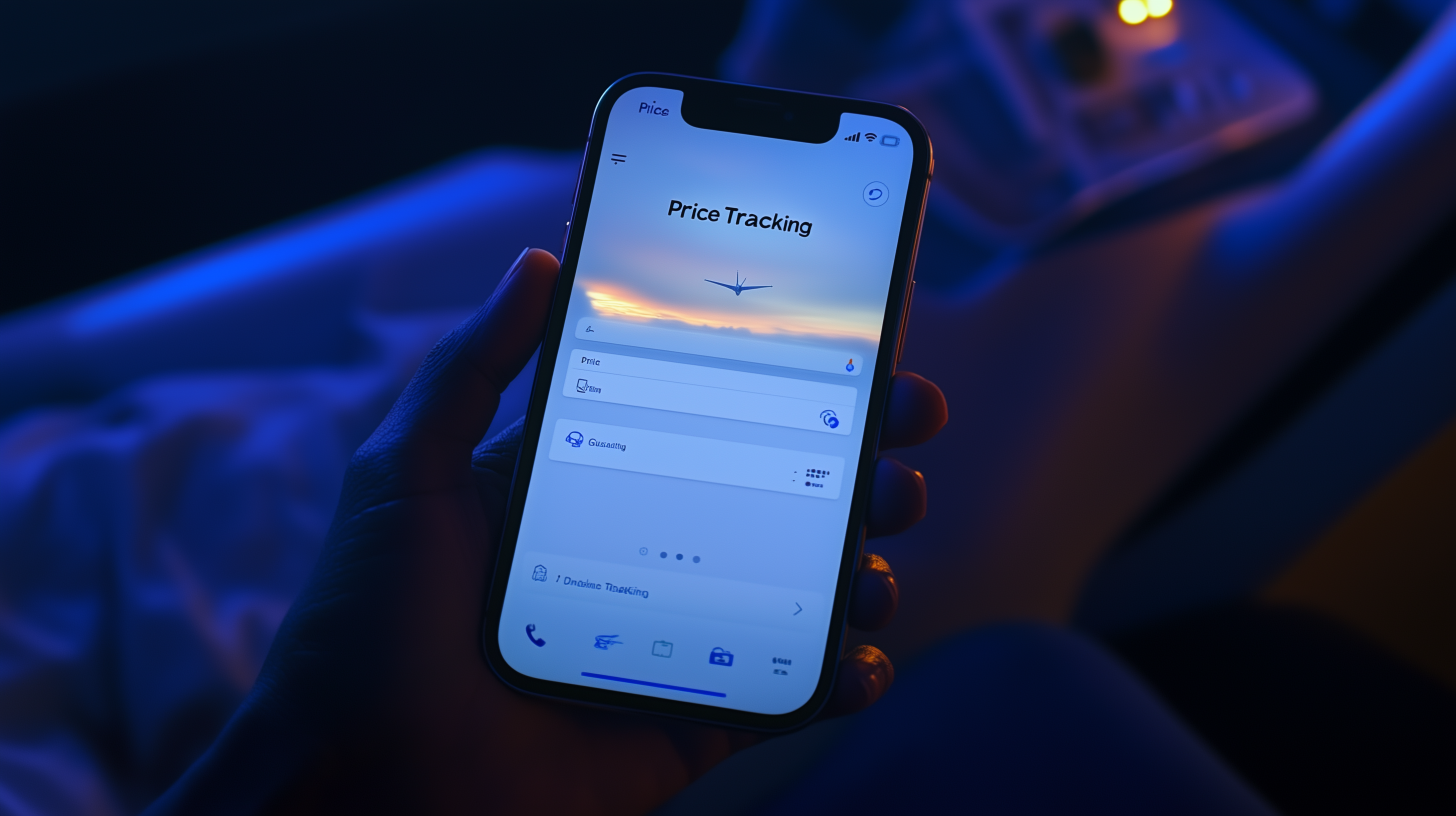
Imagine waking up to a notification that the flight to your dream destination has dropped by $200! By setting up price alerts, you’re always in the loop without the hassle of daily searches. For additional ways to stay ahead of airfare changes, explore our tips on airfare-alert-services.
Explore Destinations with the Google Flights “Explore” Feature
If you’re open to adventure and want to find the best deals, the “Explore” feature is your ticket to new horizons. This tool allows you to see a map covered with potential destinations and their associated flight prices, all in one view (The Advertiser).
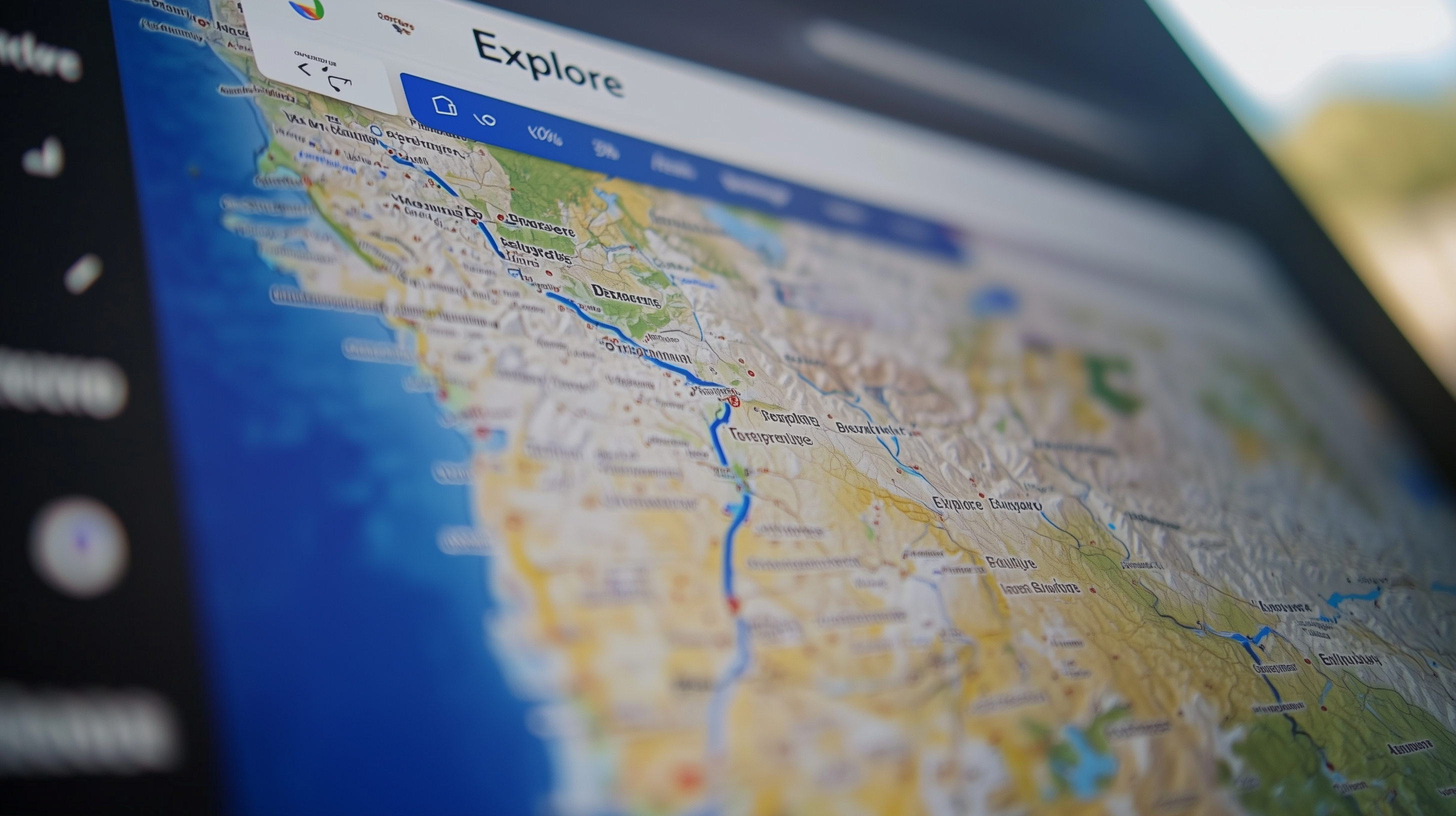
How to use the “Explore” feature:
- Visit the Explore Page on Google Flights.
- Set Your Departure: Enter your home airport.
- Adjust Dates: Choose specific dates or select flexible options like “Anytime.”
- Browse the Map: Zoom in and out to see prices for various destinations.
- Filter Results: Use filters like price range, flight duration, or interests.
For instance, you might discover a fantastic deal to Lisbon that you hadn’t considered before. The “Explore” feature helps you uncover affordable destinations and can inspire your next trip. For more ideas on budget-friendly places to visit, check out our list of top-budget-friendly-destinations.
Make the Most of Creative Itineraries
Unlock even more savings by considering creative itineraries that Google Flights highlights. These might include flights with multiple airlines, longer layovers, or self-transfers. While they may require a bit more effort, the cost benefits can be substantial (9to5Google).
Tips for navigating creative itineraries:
- Check Connection Times: Ensure you have enough time between flights, especially with self-transfers.
- Understand Baggage Policies: Different airlines may have varying baggage rules and fees.
- Prepare for Layovers: Extended layovers can be an opportunity to explore another city.
- Be Aware of Visa Requirements: Some countries require transit visas for layovers.
Example: Tom opted for a multi-airline itinerary from Los Angeles to Bangkok, which included a 10-hour layover in Tokyo. He not only saved $300 but also enjoyed an afternoon exploring Tokyo. “It felt like getting two trips in one,” he remarked. For advice on handling complex travel plans, read our guide on surviving-long-layovers.
FAQs
Q1. What happens if I book a flight and the price drops later?
A1. If you booked a flight with the Price Guarantee badge through Google Flights, you’ll automatically receive a refund of the difference via Google Pay after your first flight departs (Google Support).
Q2. How do I find hidden cheap flights using Google Flights?
A2. Use the “Cheapest” tab to access flight options that may not appear in standard searches, including those with longer layovers or multiple airlines (Google Blog).
Q3. Can I track prices for multiple destinations at once?
A3. Yes! You can set up price tracking for several destinations or flexible date ranges, ensuring you’re notified of any significant price drops (Google Travel Blog).
Q4. Are the flights on the “Cheapest” tab reliable?
A4. While these flights are legitimate, they may include self-transfers or longer layovers. Always review the itinerary details to ensure it meets your needs (Thrillist).
Q5. Do I need a Google account to use these features?
A5. Yes, you’ll need to sign in with a Google account to access features like price tracking and receive notifications.
Conclusion: Navigate Airfare Savings with Confidence
Google Flights’ latest features are revolutionizing how we find and book flights, offering tools that make it easier to secure the lowest airfares. By leveraging the “Cheapest” tab, Price Guarantee program, historical price insights, and price tracking notifications, you can navigate the complex world of flight pricing like a pro.
Don’t miss out on the opportunity to save money and enhance your travel experiences. Ready to find the best deals on your next flight? Head over to Google Flights and start exploring these powerful tools today. Your dream trip is just a few clicks away!
Next Steps
Now that you’re equipped with these tips, why not put them into action?
- Set Up Price Alerts: Choose your next destination and enable price tracking to get notified of deals.
- Explore New Destinations: Use the “Explore” feature to discover affordable trips you hadn’t considered.
- Share Your Success Stories: Have you used Google Flights’ new features? Share your experiences in the comments below!
- Stay Connected: For more travel tips and the latest industry updates, keep following us at BoardingArea.
If you found this guide helpful, please share it with fellow travelers!
We’d Love to Hear from You!
Have questions or tips of your own? Leave a comment below and join the conversation.
Remember, the journey is just as important as the destination. Happy travels!